
Language Translate Manual Installation Instructions
Before You Start
This guide should only be followed if Language Translate is not working on your site after attempting a normal installation. You should have already enabled Language Translate on your site before following this guide.
Step 1
Click here (opens in a new window) to open your theme’s theme.liquid file for editing.
Step 2
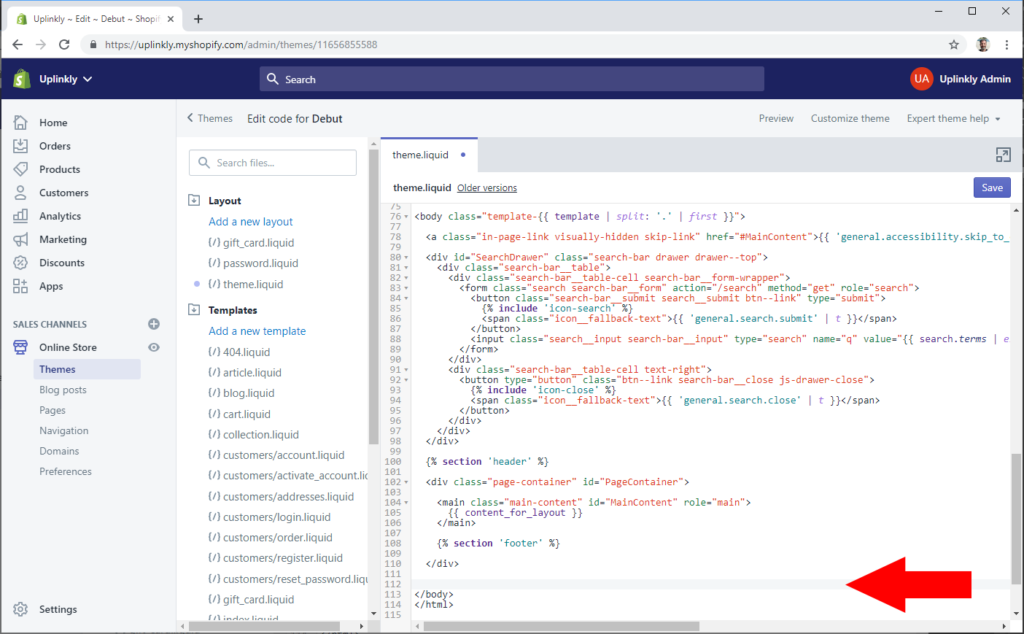
Scroll right to the very bottom of the code editor window to find the </body> tag.
Step 3
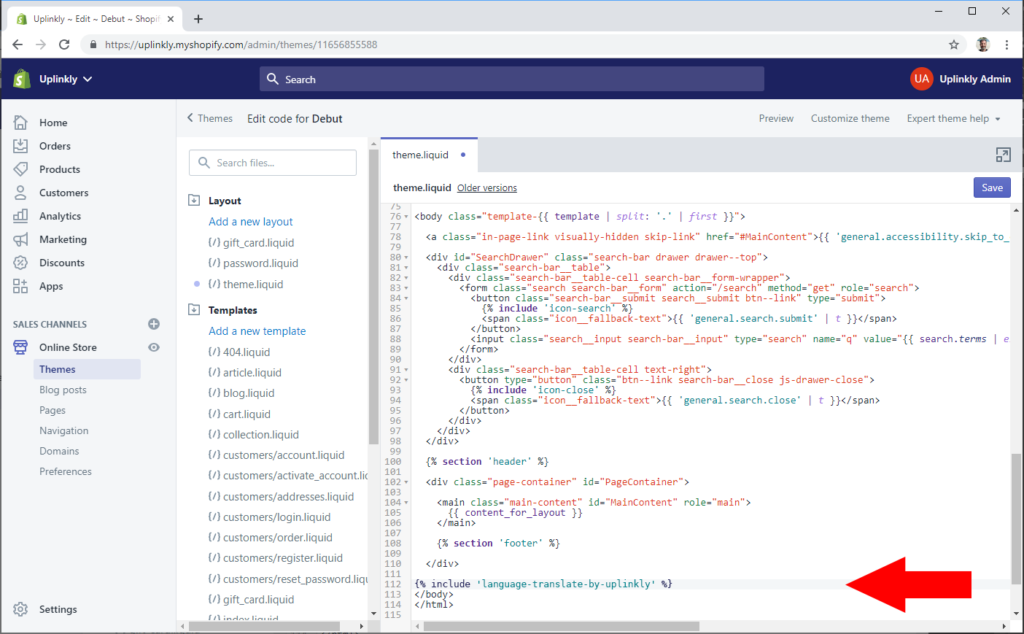
Copy and paste the code below into the editor before the </body> tag. You may create a new line if necessary.
{% include 'language-translate-by-uplinkly' %}
Step 4
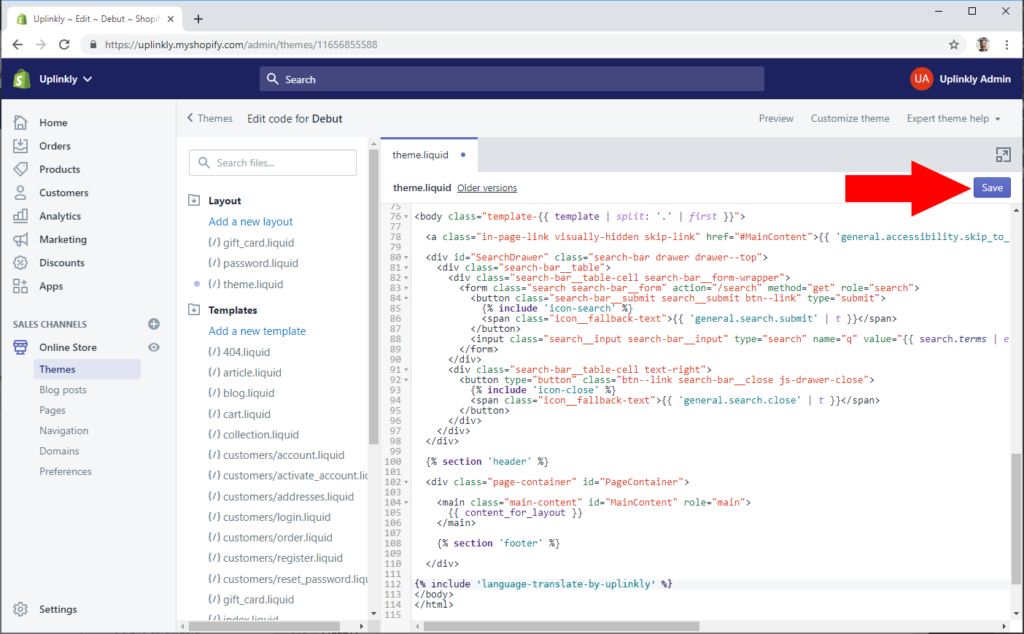
Click the Save button.
Step 5
Congratulations, Language Translate should now be functional on your site.
If you still have difficulty getting Language Translate to work on your site, please contact our support